
Samsung Privacy Screen Technology to Prevent Shoulder Surfing

{getToc} $title={Table of Contents}
{getToc} $title={Table of Contents}
Introduction: Stop Shoulder Surfing with Samsung Phones
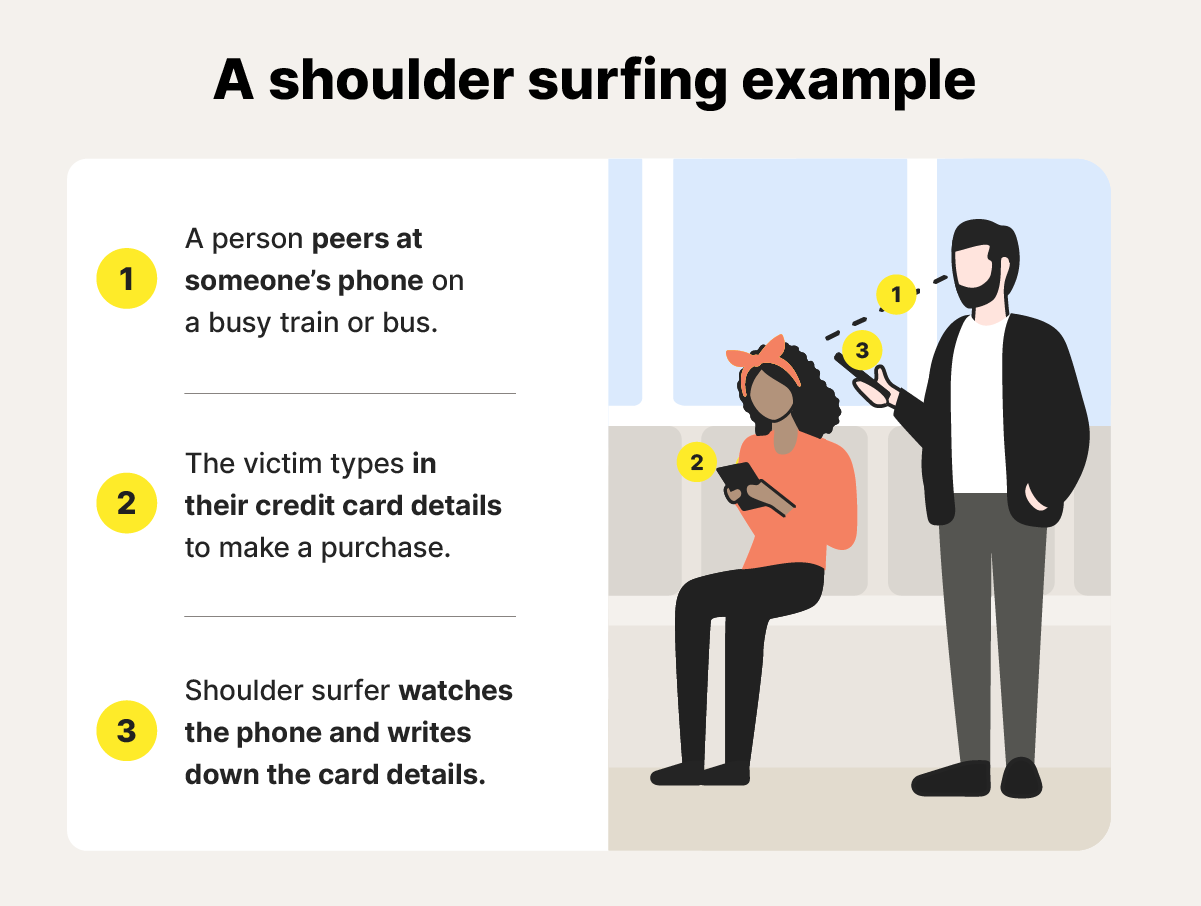
Have you ever typed a password, read sensitive emails, or scrolled through banking apps in public, only to notice someone peeking over your shoulder? Shoulder surfing is a growing privacy concern, especially in busy cities, public transport, or coffee shops.
Samsung has introduced a smart solution: privacy screen technology that keeps your mobile content hidden from side angles, ensuring your data stays private. In this article, we’ll explore how this tech works, why it’s a must-have for modern smartphone users, and what makes Samsung’s approach stand out.
What Is Samsung Privacy Screen Technology?
Samsung’s privacy screen technology is a hardware and software feature designed to protect your screen from unwanted viewers. Unlike traditional privacy screen protectors, this technology is built directly into the device.
Key Features:
- Limits the viewing angle to about 30–45 degrees, so only the person directly in front sees the content.
- Reduces glare and reflections, making screens easier to read in bright environments.
- Compatible with most Samsung Galaxy devices, including premium models like the Galaxy S and Note series.
This feature is especially useful for professionals, students, and anyone who frequently uses their phone in public.
How Samsung Privacy Screens Work
Samsung combines LCD and OLED display innovations with privacy filters to control light polarization and viewing angles. Here's a simplified breakdown:
- Angle Restriction: The display restricts light emission outside a narrow angle. Anyone looking from the side sees a darkened or black screen.
- Software Integration: Some Samsung models allow you to toggle privacy mode on or off, giving users control over when they want privacy.
- Enhanced Display Quality: Unlike cheap screen protectors, Samsung’s privacy tech maintains high brightness, sharpness, and color accuracy for the primary viewer.
Real-world Example:
Imagine working on sensitive financial data on a Galaxy S23 in a train. Thanks to the privacy screen, a nearby passenger sees only a darkened screen, while you can comfortably continue your work.
Benefits of Samsung Privacy Screen Technology
Samsung’s privacy feature comes with multiple advantages for users who value data security and usability:
- Data Security: Prevents confidential information leaks in public spaces.
- Reduced Eye Strain: Limits glare for easier viewing in outdoor or bright environments.
- No Additional Accessories Needed: Unlike third-party privacy protectors, it’s built-in.
- Enhanced Professionalism: Ensures you can work on sensitive projects confidently in public settings.
Pros & Cons
Pros
- Built-in privacy, no need for extra accessories.
- Maintains high-quality display visibility.
- Easy to toggle on/off via device settings.
- Ideal for professionals and frequent travellers.
Cons
- Slightly reduced brightness compared to standard screens.
- May not be available on all Samsung models.
- Viewing experience is limited for multi-person usage.
Samsung Privacy Screen vs. Traditional Privacy Screen Protectors
| Feature | Samsung Privacy Screen | Third-Party Screen Protector |
|---|---|---|
| Built-in | ✅ | ❌ |
| Display Quality | High | Medium (slightly dull) |
| Viewing Angle Control | Precise | Moderate |
| Toggle Feature | ✅ | ❌ |
| Compatibility | Samsung devices | Any device (may affect touch response) |
Insight: Samsung’s technology offers a superior, seamless experience compared to external protectors, especially for frequent public users.
Latest Trends and Future Scope
Samsung is continuously innovating in display privacy:
- Dynamic Privacy Mode: Some models automatically adjust viewing angles based on face detection.
- Integration with Foldable Devices: The Galaxy Z Fold series may offer privacy screens for both inner and outer displays.
- AI-Based Privacy Alerts: Future models may alert users when someone is trying to peek.
Privacy technology is evolving, ensuring mobile security keeps pace with user lifestyle and public exposure.
FAQs: People Also Ask
Q1. Can Samsung privacy screen tech be applied to any app?
Yes, it works across apps, including messaging, banking, and productivity apps, as it controls the display at the hardware level.
Q2. Does it affect screen brightness?
Slightly, but Samsung optimizes brightness so the main viewer sees clear visuals while restricting side angles.
Q3. How do I enable privacy mode on Samsung phones?
Go to Settings → Display → Privacy Screen and toggle it on. Some devices offer quick toggle via the notification panel.
Q4. Is privacy screen technology available on older Samsung models?
Mostly available on mid-range and premium devices; older models may require third-party protectors.
Q5. Does it protect against hacking?
No, it protects only against visual eavesdropping (shoulder surfing), not cyber-attacks.
Q6. Can multiple people view the screen at once?
Only from a direct front angle; side viewers will see a darkened screen.
Conclusion
Samsung’s privacy screen technology is a smart, practical solution for anyone concerned about shoulder surfing in public spaces. It blends security, display quality, and convenience, ensuring your sensitive information stays private without compromising usability.
Whether you’re a professional, student, or tech-savvy traveler, this technology gives you peace of mind in an increasingly connected world.
Call to Action:
If privacy matters to you, explore Samsung’s latest Galaxy devices and activate privacy screen mode today to safeguard your mobile experience.
Image Suggestions for Blog
{fullWidth}